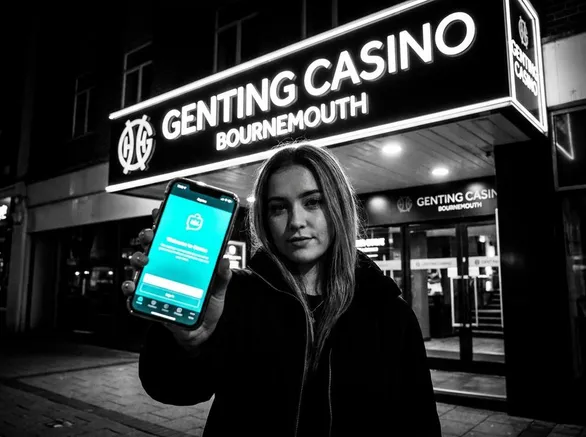

Two Apps Under One Genting Brand
When people search for a Genting Casino Bournemouth download apk/ios, they usually expect a single app. In reality we run two separate products under the Genting name, and they serve different purposes. One is the real-money casino app where you play slots, Blackjack, Roulette, Poker and live dealer tables online. The other is the My Genting app, which connects to our physical venues, including the Bournemouth casino on Yelverton Road, and looks after your loyalty benefits. Both sit on official app stores, so there is no need to side-load anything.
On the Apple App Store, the real-money product appears as “Genting Casino: Real Money” with ID id1615252925. If you use Android, you will see it on Google Play under the package name com.gentingcasino.www. My Genting is separate from that - App Store ID is id1445691797 and on Google Play it is listed as com.genting.rewards. Downloading either one does not cost anything.
There is one safety point we want to stress early. Any website offering a direct Genting Casino APK file outside Google Play is not an official channel. Those files do not come from us, and we strongly suggest avoiding them altogether.
Getting the Real-Money App Running
Once you grab the Genting Casino: Real Money app from the App Store or Google Play, getting started is fairly quick. Open it and you will see two basic options: tap Register if you do not have an account yet, or Log In if you already registered on our site or app before. During registration we ask for your name, date of birth, email address and a password. It is straightforward information, nothing unusual.
We also need your UK address and a confirmation that you are 18 or over. This is part of UK gambling law and not just a box-ticking exercise on our side. After those details, the app usually moves on to identity verification. In practice that means uploading a photo or scan of your passport or driving licence. It can feel like the process slows down for a moment, but it is normally checked quite fast and you only have to pass this step once.
When your account is verified, go into the Deposit area in the app. Choose one of the available payment methods, type in how much you want to add in GBP, confirm the payment, and your balance appears shortly after. From there you are taken straight into the main lobby.
Inside the casino app you will find slots, Blackjack, Roulette and Poker, plus live dealer tables hosted in real time. Registration, verification, deposits and gameplay are all handled in the app itself, so you do not need to switch out to a mobile browser at any stage.
| App Name | Platform | Store ID / Package | Operator |
|---|---|---|---|
| Genting Casino: Real Money | iOS (App Store) | id1615252925 | Skill on Net Ltd |
| Genting Casino: Real Money | Android (Google Play) | com.gentingcasino.www | Skill on Net Ltd |
| My Genting | iOS (App Store) | id1445691797 | Genting Casinos UK Limited |
| My Genting | Android (Google Play) | com.genting.rewards | Genting Casinos UK Limited |
The online casino app is operated by Skill on Net Ltd, a company registered in Malta under number C50024. Real-money play on the app is covered by a remote gambling licence from the Gambling Commission of Great Britain under account number 39326. That single licence is what governs all online wagering through this product.